Redeem the Founders Pilot
The Founders Pilot gives your team 30 days of Bizby Team+ free. You redeem it with the code FOUNDERS30-TEAMPLUS when you upgrade. It takes about two minutes.
Step 1: Open Team Settings
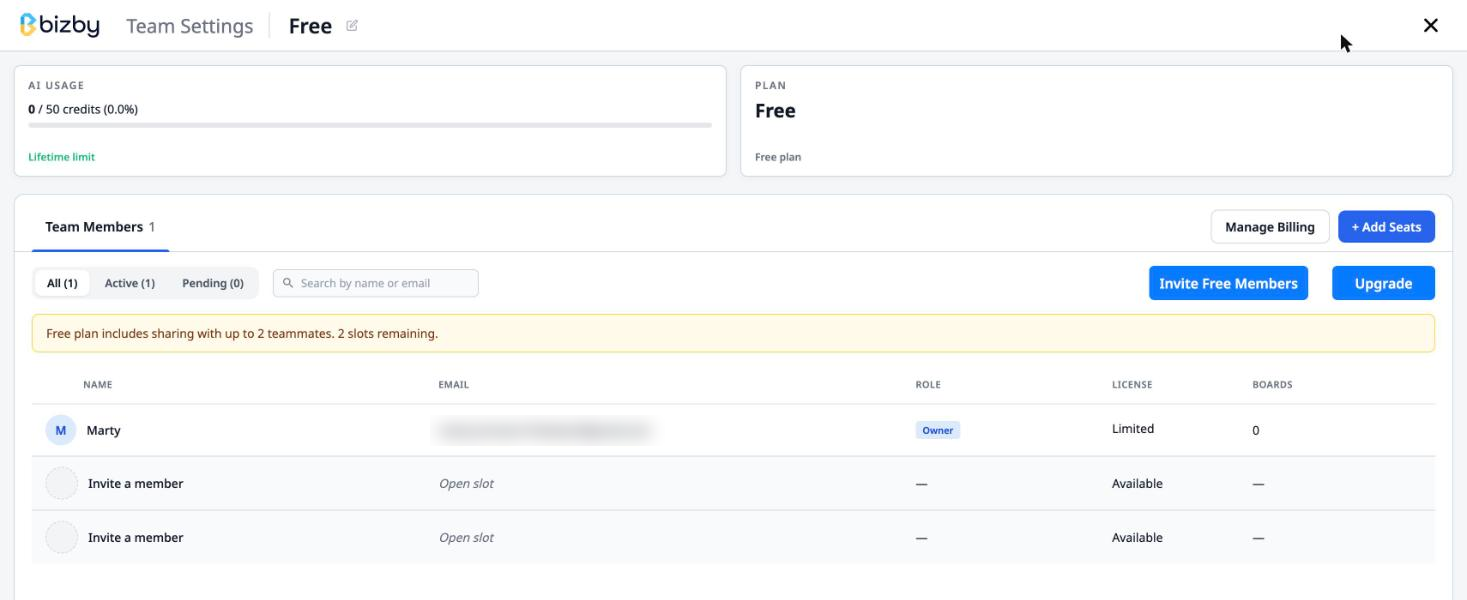
Section titled “Step 1: Open Team Settings”From your dashboard, select Team Settings at the top right, then select Upgrade.
Step 2: Add your team
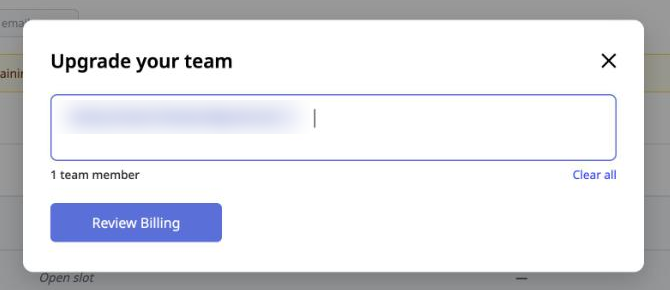
Section titled “Step 2: Add your team”Your own email is already listed. Add the email addresses of the teammates you want on Team+, then select Review Billing. Each person is one seat, and you can add more later.
Step 3: Choose Team+ monthly
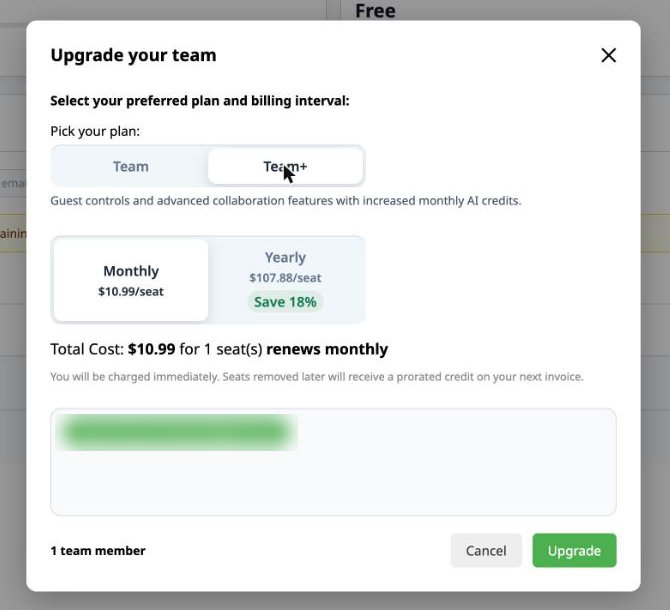
Section titled “Step 3: Choose Team+ monthly”Under Pick your plan, select Team+, keep Monthly selected, then select Upgrade. The code does not work on Yearly.
The dialog shows the regular price and says you will be charged immediately. That is expected: the code brings the first month to $0 on the next screen.
Step 4: Enter the code at checkout
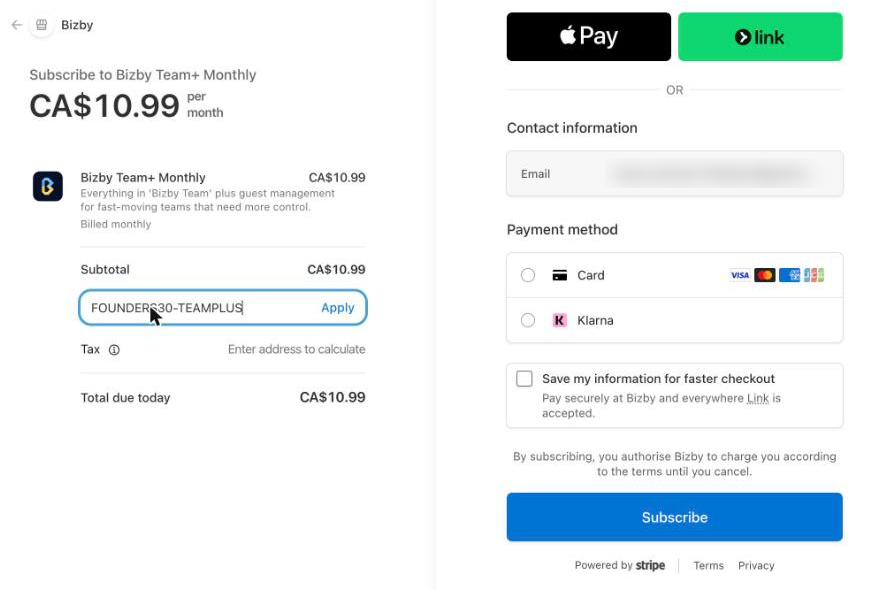
Section titled “Step 4: Enter the code at checkout”On the secure checkout page, select Add promotion code, type FOUNDERS30-TEAMPLUS, and select Apply.
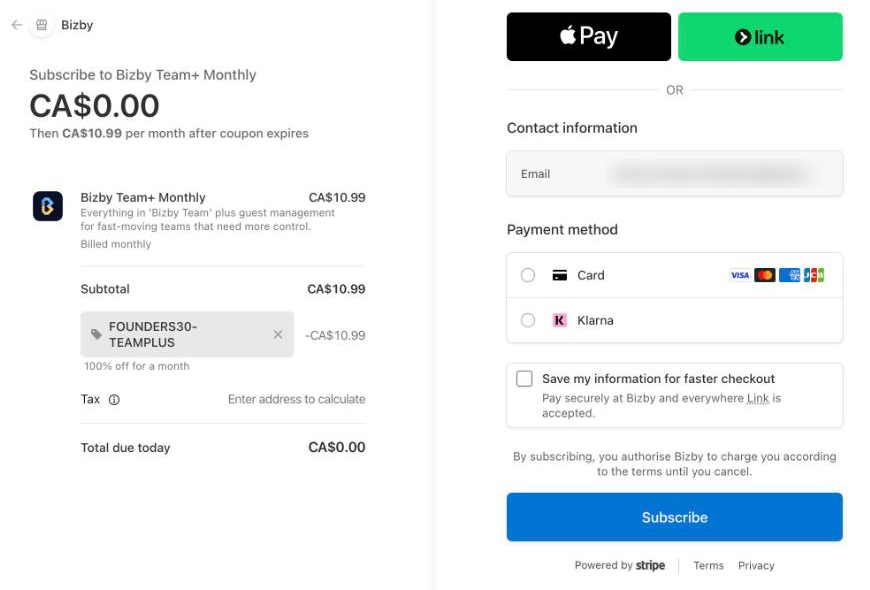
Step 5: Confirm $0 due today and subscribe
Section titled “Step 5: Confirm $0 due today and subscribe”Check that Total due today shows $0.00 and the code shows 100% off for a month. Select Card, enter your card and billing address, and select Subscribe. Nothing is charged today.
You return to Bizby on Team+. Invitations go out to the teammates you added.
After 30 days
Section titled “After 30 days”Seats you add during the first 30 days are free too. After that, Team+ continues at the regular monthly price per seat. To switch to annual billing or cancel, open Team Settings and select Manage Billing. Cancel before day 30 and you are not charged.
Get the most from your first week
Section titled “Get the most from your first week”- Import your boards from Miro, Mural or FigJam
- Turn on Claude, ChatGPT or Microsoft 365 Copilot in Team Settings
- Start a board with Kickstart
- Bring a room in with Bizby Connect
Questions? Email support@bizby.ca.